İçeriğe geç
Free tool

VAT (KDV) calculator

Enter the amount and choose the VAT rate. Add VAT to a net amount, or take VAT out of a gross amount, and see the VAT amount straight away.

Amount and rate

Direction
VAT rate

No sign-up needed. The calculation runs in your browser; the values you enter are not sent to Entegi servers and are not stored.

Result

Amount including VAT—Enter the amount to see the result.
Amount excluding VAT
—
VAT amount
—
Amount including VAT
—

In Entegi you issue e-invoices and e-archive invoices from your orders.

7 days free, no credit card required

How is VAT calculated?

Adding VAT to a net amount and taking VAT out of a gross amount are different operations. The tool uses the formulas below for the direction you choose.

Formula

  • VAT amount = Amount excluding VAT × VAT rate ÷ 100
  • Amount including VAT = Amount excluding VAT + VAT amount
  • Amount excluding VAT = Amount including VAT × 100 ÷ (100 + VAT rate)
  • VAT inside a gross amount = Amount including VAT − Amount excluding VAT
Worked example

The VAT rate is 20%. The first two lines are for ₺1,000 excluding VAT, the last two for ₺1,000 including VAT.

  1. VAT amount: 1,000 × 20 ÷ 100 = ₺200
  2. Amount including VAT: 1,000 + 200 = ₺1,200
  3. Amount excluding VAT: 1,000 × 100 ÷ 120 = ₺833.33
  4. VAT inside: 1,000 − 833.33 = ₺166.67

Things to watch

  • Taking the percentage of a gross amount directly gives a wrong result: the 20% VAT inside ₺1,000 is ₺166.67, not ₺200.
  • The tool offers the rates 1, 10 and 20 as shortcuts. Use “Other” for any other rate.
  • Which rate applies to your product or service is set by legislation. Ask your accountant if you are not sure.
  • Results are rounded to two decimals and are for information only.

Issue e-invoices from your orders

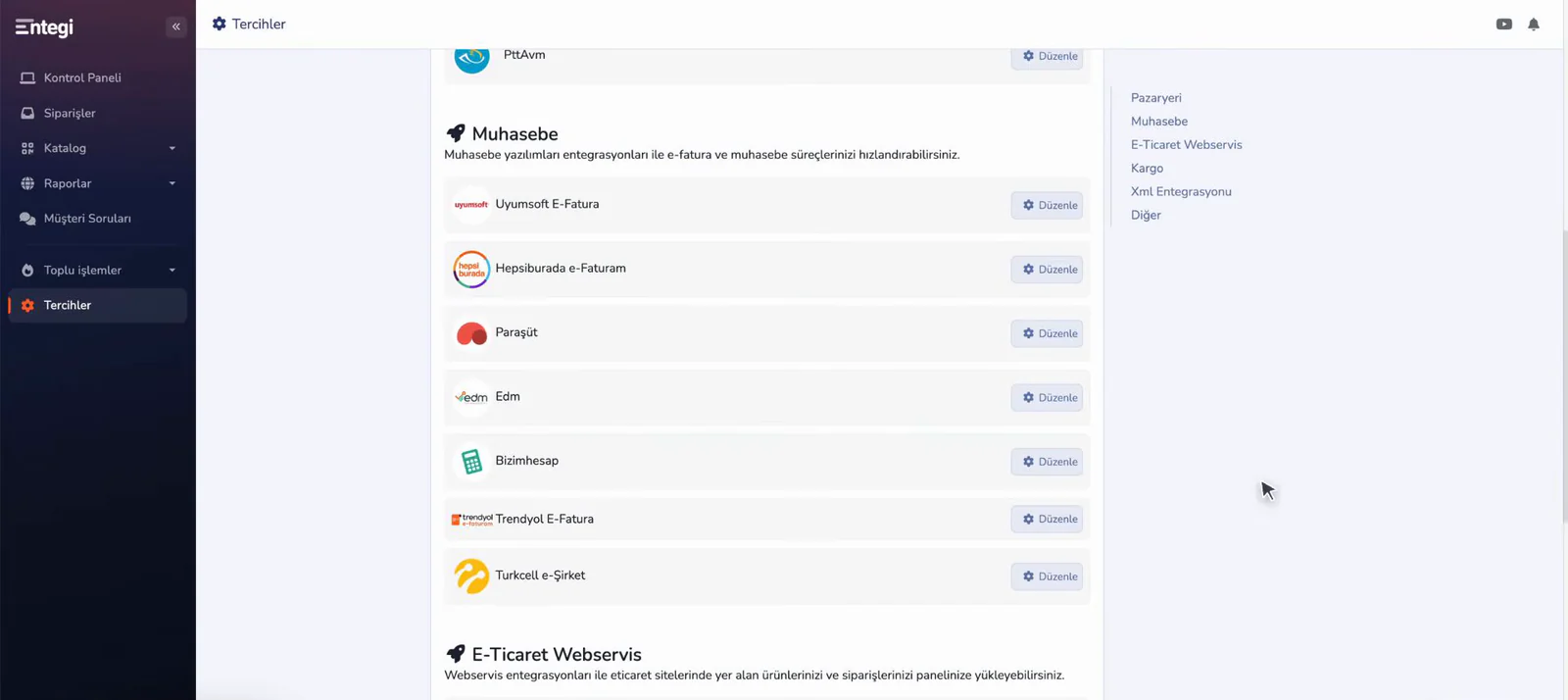
In Entegi you issue e-invoices and e-archive invoices from your orders and use the invoice data together with your accounting software. The Trendyol E-Faturam integration is part of every plan; the other accounting and e-invoice integrations are part of the Professional and Business plans.

Explore e-invoice transfer
List of accounting and e-invoice integrations on the Entegi preferences screen

No sign-up needed; every tool shows its formula and a worked example on its page.

Marketplace Profit Calculator

Work out net profit and profit margin per sale from the sale price, product cost, commission rate, shipping fee and VAT rate.

Open the profit calculator

Desi Calculator

Work out the desi (volumetric weight) of a parcel from its width, length and height. Change the divisor to the one your carrier uses.

Open the desi calculator

Frequently asked questions about VAT

The amount excluding VAT is multiplied by the VAT rate and divided by 100; the resulting VAT amount is added to the net amount. At a rate of 20%, the VAT on ₺1,000 is ₺200 and the amount including VAT is ₺1,200.

Go from order to invoice in the same panel

See your marketplace orders in Entegi and issue the e-invoice from the order.

Try for Free

7 days free, no credit card required

7 days free, no credit card required Try for Free