E-archive invoices are issued from the panel
Select the orders, press the Muhasebe button in the bar at the bottom and choose Turkcell e-Şirket.
See order management Turkcell e-Şirket integration
Connect your Turkcell e-Şirket account with your API key; the e-archive invoices of your orders are created through Turkcell e-Şirket.
7 days free, no credit card required


Turkcell e-Şirket integration is the connection that links your Turkcell e-Şirket account to the Entegi panel with your API key, so you issue the e-archive invoices (e-arşiv) of your orders from the panel.
Entegi is a marketplace integration panel where you send products to marketplaces with AI matching. Orders from your marketplaces gather in one list, and the invoicing step runs from the same order flow.
Select the orders, press the Muhasebe button in the bar at the bottom and choose Turkcell e-Şirket.
See order managementWhile the option is on, the issued e-archive invoice is e-mailed to the customer automatically.
With the Test ortamını kullan option you issue a few trial invoices, check the flow and then go live.
The connection is made on the Preferences page of the Entegi panel with the API key from your Turkcell e-Şirket panel.
Get your API key from your Turkcell e-Şirket panel.
In the Entegi panel, open Preferences (Tercihler) and press the Düzenle button of Turkcell e-Şirket under the Muhasebe heading. Enter your API key and your tax number (VKN) or national identity number (TCKN).
Enter the series prefix and the last invoice number to continue from, or leave the numbering to Turkcell. Switch on the e-mail option if you want the invoice e-mailed to the recipient.
Issue a few trial invoices with the Test ortamını kullan option. Once the flow is confirmed, switch test mode off, switch Durum on and save.
Invoices issued while Test ortamını kullan is on are trial invoices; switch the option off before you go live.
Once connected, the invoice flow runs in this order.
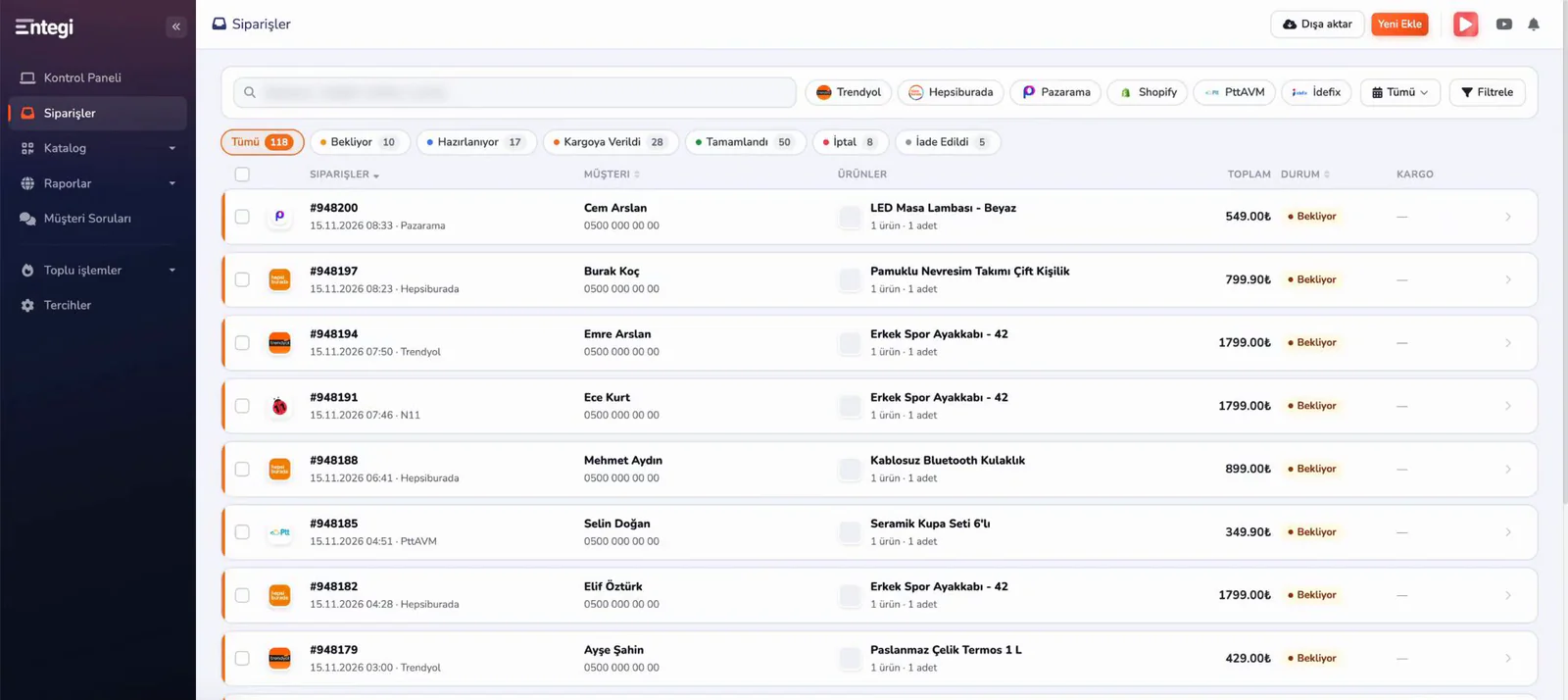
Orders from your marketplaces gather in one list on the orders page (Siparişler).
You select the orders to invoice, press the Muhasebe button in the bar at the bottom and choose Turkcell e-Şirket.
The e-archive invoice is created through the Turkcell e-Şirket account you connected.
If the e-mail option is on, the issued invoice is e-mailed to the customer automatically.
Every operation in the table corresponds to a screen or a setting used in the Entegi panel today.
| Operation | What it does | Where in the panel |
|---|---|---|
| Connecting the account | The Turkcell e-Şirket API key and the tax or national identity number are entered. | Tercihler > Muhasebe > Turkcell e-Şirket |
| Invoice numbering | The series prefix and last invoice number are defined, or the numbering is left to Turkcell. | Turkcell e-Şirket settings form |
| Issuing an e-archive invoice | The e-archive invoice of the selected orders is created through Turkcell e-Şirket. | Siparişler > Muhasebe |
| E-mail to the recipient | The issued e-archive invoice is e-mailed to the customer automatically. | Turkcell e-Şirket settings form |
| Test environment | Trial invoices are issued before going live. | Turkcell e-Şirket settings form |
The pricing page lists which plans include accounting integrations.
The orders of every marketplace are in one list on the orders page (Siparişler). The order behind an invoice is shown there with its status and the marketplace it came from.
The other services are connected the same way from the Muhasebe section of the Preferences page.
Enter your API key, try it in the test environment and issue e-archive invoices from the panel.
7 days free, no credit card required