
Connects with three details
The seller ID, API Key and API Secret from the integration section of the Idefix seller panel are enough.
 Idefix marketplace integration
Products you already sell on Idefix are matched to your panel products by barcode, and you send new ones from the All Products page.
7 days free, no credit card required
Idefix integration is the connection that links your Idefix store to the Entegi panel with your seller ID, API Key and API Secret, so you match products, send products, update prices and stock, and follow orders from the same panel.
Entegi is a marketplace integration panel where you send products to marketplaces with AI matching. Once Idefix is connected, your store uses the same product catalogue and the same order list as the other marketplaces connected to Entegi.
The seller ID, API Key and API Secret from the integration section of the Idefix seller panel are enough.
The match-products switch (Ürünleri eşleştir) matches the products you already sell on Idefix to your panel products by barcode.
See catalogue managementYou turn the price-update (Fiyat güncelle) and stock-update (Stok güncelle) switches on and off independently. For example, you can manage prices in the Idefix panel and send only stock from Entegi.
See stock and price managementThe connection is made on the Preferences page of the Entegi panel with three details from the Idefix seller panel.
Sign in to the Idefix seller panel. Copy the seller ID (Satıcı ID), API Key and API Secret from the integration section.
In the Entegi panel, open Preferences (Tercihler) and press the Edit button on the “İdefix” row under the Marketplace heading. Fill in the seller ID, API Key and API Secret fields.
The status switch (Durum) enables the integration. Turn on the ones you need among the pull-orders (Siparişleri çek), match-products, send-products (“Ürünleri İdefix’e gönder”), price-update and stock-update switches.
Save the form. The dashboard shows Idefix as connected (“Bağlı”).
Matching works by barcode; the barcodes in the panel and on Idefix must be identical.
Watch the steps in the Entegi panel in short tutorial videos (in Turkish).
Once connected, products, stock, prices and orders flow between Entegi and Idefix in this order.
While the match-products switch is on, the products you already sell on Idefix are matched to your panel products by barcode.
You complete the category mappings and send products to Idefix from the all products page. You follow the result in the live activity feed.
For whichever of the price-update and stock-update switches is on, changes in the panel are sent to Idefix.
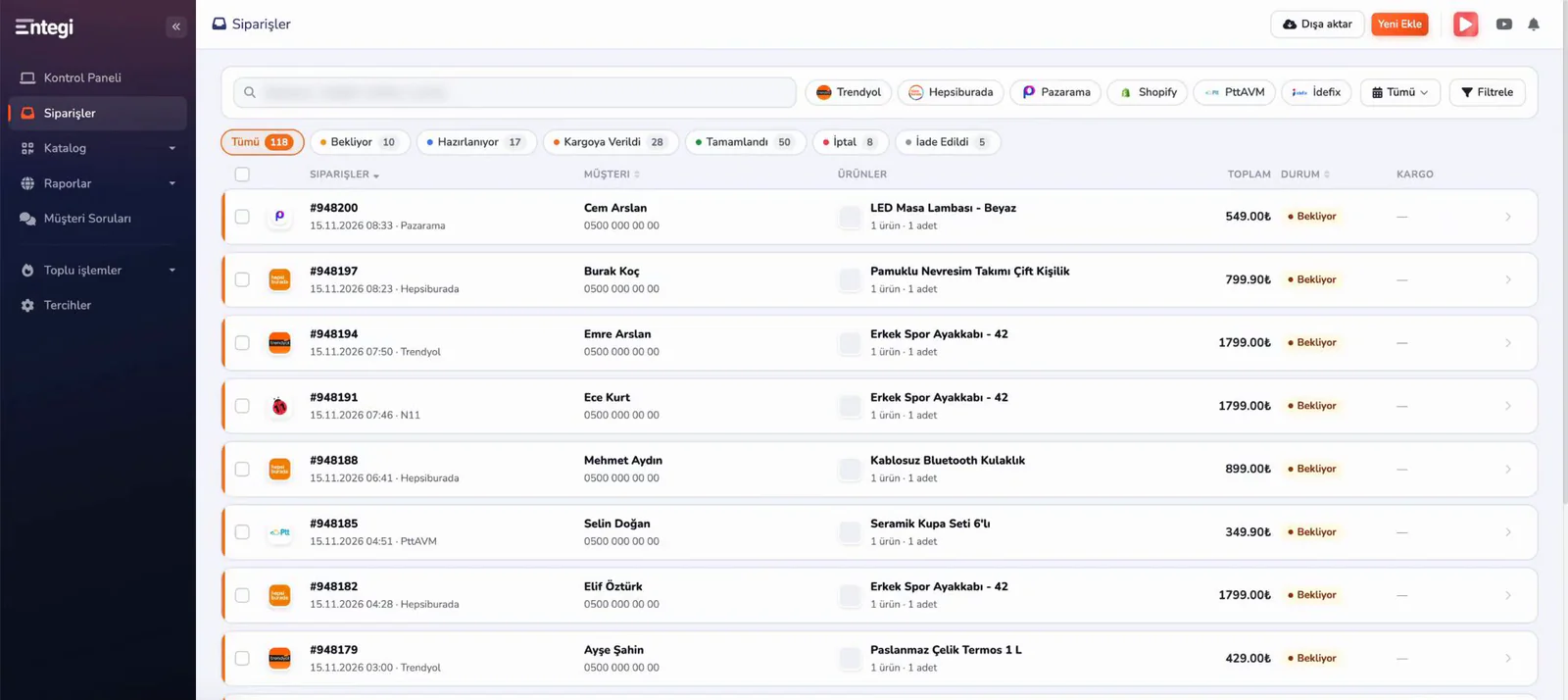
While the pull-orders switch is on, Idefix orders arrive in the panel.
Every operation in the table corresponds to a screen or setting in use in the Entegi panel today.
| Operation | What it does | Where in the panel |
|---|---|---|
| Connecting the store by API | The connection is made with the seller ID, API Key and API Secret. | Preferences > Marketplace > Idefix (Tercihler > Pazaryeri) |
| Matching existing products | Products already sold on Idefix are matched to panel products by barcode. | Idefix settings form > match-products switch |
| Sending products | Products with a completed category mapping are sent to Idefix from the product list. | Catalogue > All Products (Katalog > Tüm Ürünler) |
| Following send results | The result of each send appears in the live activity feed. | Dashboard > Live Activity (Kontrol Paneli > Canlı Aktivite) |
| Price updates | While the price-update switch is on, price changes in the panel are sent to Idefix. | Idefix settings form > price-update switch |
| Stock updates | While the stock-update switch is on, stock changes in the panel are sent to Idefix. | Idefix settings form > stock-update switch |
| Pulling and managing orders | While the pull-orders switch is on, Idefix orders arrive in the panel. | Orders (Siparişler) |
The pricing page states which plan includes automatic stock and price management.
While the pull-orders switch is on, Idefix orders arrive on the orders page. Orders from every marketplace gather there in one list.
Other marketplaces are also connected from the Preferences page of the Entegi panel.
Enter your seller ID, API Key and API Secret; match your existing products and send new ones to Idefix from your catalogue.
7 days free, no credit card required