İçeriğe geç
Free tool

Desi calculator

Enter the width, length and height of your parcel in centimetres and see its desi (volumetric weight) straight away. You can change the divisor to the one your carrier uses.

Parcel dimensions

The tool starts with 3000. If your carrier uses another divisor, enter it.

If you enter it, it is compared with the desi.

No sign-up needed. The calculation runs in your browser; the values you enter are not sent to Entegi servers and are not stored.

Result

Desi—Enter the width, length and height to see the result.
Volume
—
Scale weight
—
Chargeable value The greater of the desi and the scale weight.
—

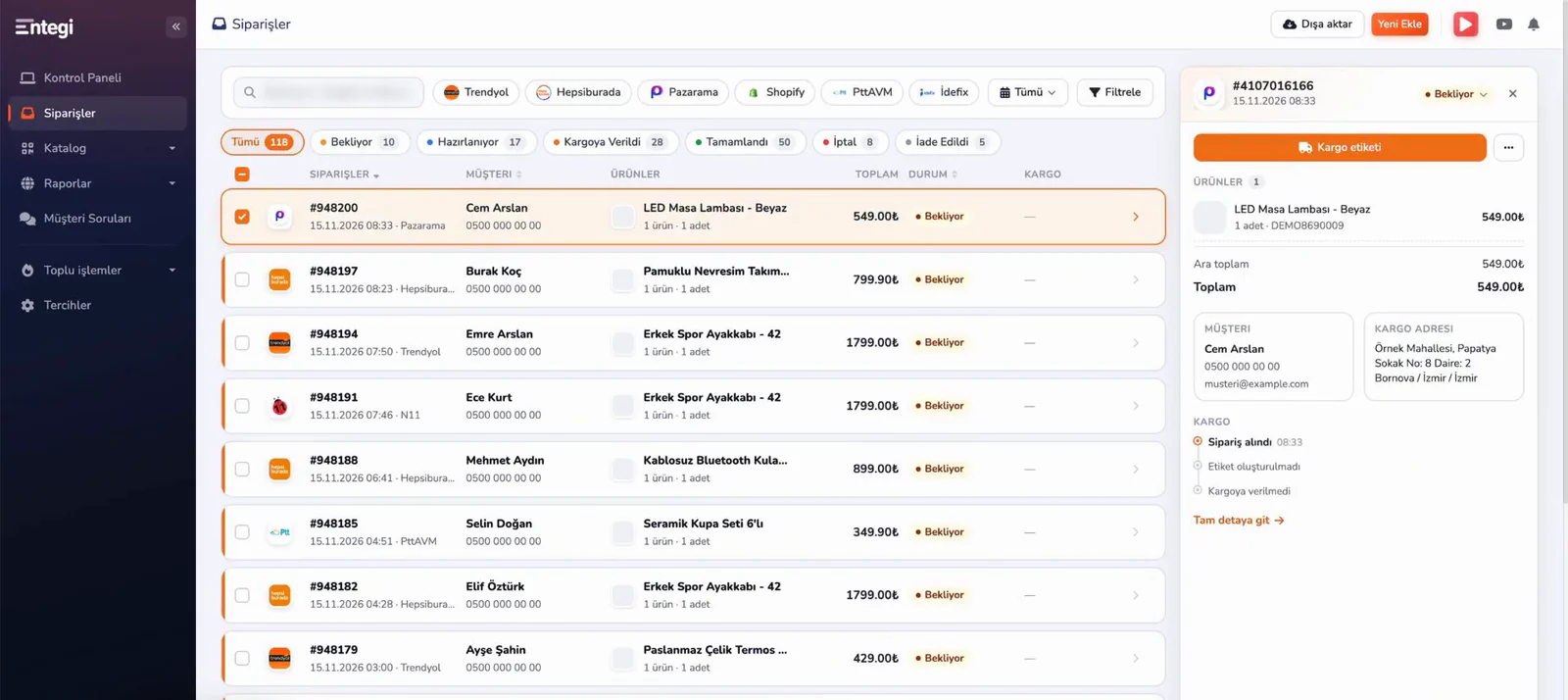
In Entegi you create the shipping label of an order from the panel.

7 days free, no credit card required

How is desi calculated?

Desi is a measure derived from the volume of a parcel. The width, length and height in centimetres are multiplied and the result is divided by the divisor.

Formula

  • Desi = Width (cm) × Length (cm) × Height (cm) ÷ Divisor
  • Default divisor = 3000
  • Chargeable value = the greater of the desi and the scale weight (kg)

Worked example

A box 40 cm wide, 30 cm long and 20 cm high that weighs 5 kg on the scale, with a divisor of 3000.

  1. Volume: 40 × 30 × 20 = 24,000 cm³
  2. Desi: 24,000 ÷ 3,000 = 8 desi
  3. Chargeable value: 8 desi, because 8 desi is greater than 5 kg

Things to watch

  • Measure after the product is packed, at the outermost points of the box.
  • The divisor can differ by carrier and by shipment type. Use the value in your contract or in the tariff of your carrier.
  • The tool does not round the desi up; it shows at most two decimals. Carriers may round the desi up; the rounding rule is in the tariff.
  • Desi alone does not set the shipping fee. Check the tariff of your carrier for current prices.

Create the shipping label from the order screen

In Entegi you create the shipping label of an order from the panel and follow the tracking information together with the order. Marketplace and cargo integrations are part of every plan.
Explore the cargo integrations
Quick detail panel opened on the Entegi order list: shipping label button, order products, totals and cargo events

No sign-up needed; every tool shows its formula and a worked example on its page.

Marketplace Profit Calculator

Work out net profit and profit margin per sale from the sale price, product cost, commission rate, shipping fee and VAT rate.

Open the profit calculator

Frequently asked questions about desi

Desi is a unit calculated from the volume of a parcel and is used together with weight in shipping fees. Light but bulky parcels take more room in the vehicle than their weight suggests, so carriers also take the volume of the parcel into account.

Go from order to shipping label in the same panel

See your marketplace orders in Entegi and create the shipping label from the order screen.

Try for Free

7 days free, no credit card required

7 days free, no credit card required Try for Free